

OpenAI's dots sort actions into ones that proceed and ones that need approval, a preprint rolls back agent changes on remote services, and Restate raises $20M for runs that survive failure. On Teneo, a paid call has no documented undo, so check before you pay.
An AI agent makes a mistake. It edits the wrong file, books the wrong slot, sends a message to the wrong person, or pays for something it should not have. Some of those can be put back with one click. Some need a second action to reverse them. Some cannot be taken back at all. This week's news is about knowing which is which before the agent runs.
Our previous roundup asked what an agent actually did. A record tells you what happened. It does not undo anything.
The developments below cover 28 September to 6 October 2026.
OpenAI's dots check actions on your accounts first

On 29 September, OpenAI introduced dots, always-on agents that run on their own cloud computer and can connect to more than 4,000 apps. They keep working when you are not there.
The interesting part is how OpenAI sorts what a dot may do on its own. Background work uses tools restricted to read-only: they cannot send messages, change app content or control your browser. For actions that could affect your accounts or share information, a step OpenAI calls auto-review checks the action against your instructions, your Custom Rules and OpenAI's safety requirements. It decides whether the work goes ahead, needs your approval, or is something you must do yourself. Custom Rules let you allow, require approval for, or block specific actions. Some tasks, such as changing a password, always stay with you.
OpenAI's own qualifications: dots are rolling out to Pro and Business Premium users in eligible markets, with an Enterprise beta, and OpenAI says dots can still make mistakes, so you should review consequential work. We have not tested them.
OpenAI does not describe these rules in terms of undo. That reading is ours. Reading changes nothing, so it can run freely. Acting on an account or sending information out changes something outside the agent, and that is where the check sits: before the action, not after it.
Planarian rolls back what an agent changed, remote services included
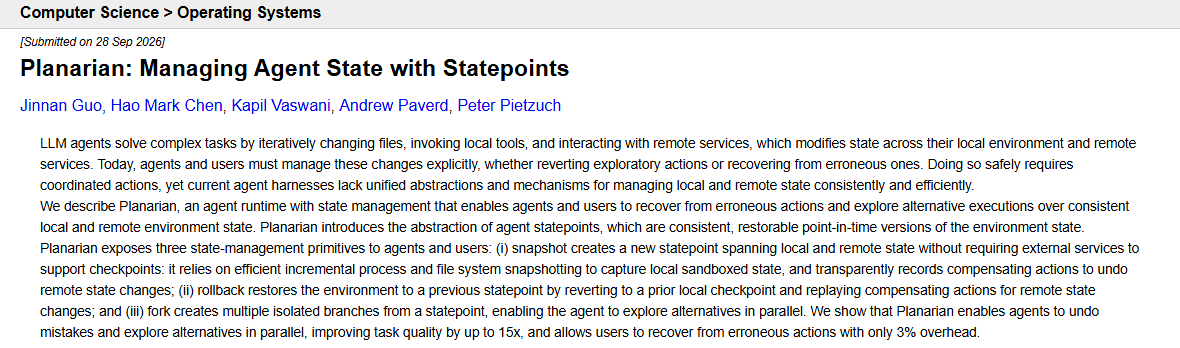
On 28 September, Jinnan Guo, Hao Mark Chen, Kapil Vaswani, Andrew Paverd and Peter Pietzuch submitted Planarian, an agent runtime built around undo. Agents change state in two places, their own environment and remote services, and the paper notes that today those changes are managed by hand.
Planarian takes restorable snapshots it calls statepoints. Local state is captured with incremental process and file-system snapshots. For remote state, Planarian records a compensating action for each change, an action that reverses it, and replays those on rollback. It can also fork a statepoint so an agent can try alternatives in parallel. The authors report task quality up to 15 times better and only 3% overhead for users recovering from erroneous actions.
This is a preprint and has not been peer reviewed. We would not carry the figures over to another workload.
The useful part is the split the paper draws. Local changes can be restored from a copy. Remote changes can only be reversed by doing something else, and only if that something exists. A booking can be cancelled. A sent message cannot be unsent. Before an agent calls a tool, write down its compensating action. If there is none, the tool needs a check before it runs.
Restate raises $20M to keep agent runs going after a crash
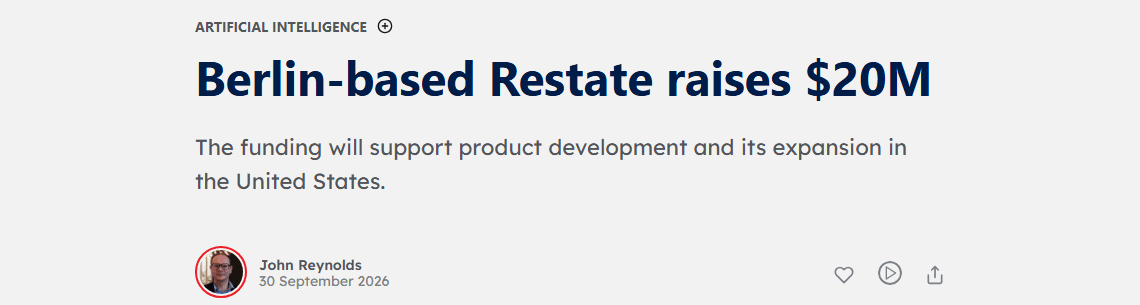
On 30 September, Tech.eu reported that Restate, a Berlin company, had raised a $20 million Series A led by Singular, with Redpoint Ventures and Capital One Ventures, bringing its total to $27 million. The funding will support product development and expansion in the United States. Restate makes durable execution software for backend applications and AI agents.
The mechanism is in Restate's own documentation. It records each operation and its result in a journal. If a function crashes, Restate replays the journal, skips the steps that already completed and carries on from where it stopped. The documentation's own example is a payment followed by a receipt: if sending the receipt fails, the retry skips the payment because it already went through.
Its guide to sagas describes the undo side: as each step succeeds, a compensating action is added to a list, and if a later step fails for good, the compensations run in reverse order. The guide also says compensations must be idempotent, so running one twice does no extra harm, and suggests reserving first and confirming later, or using idempotency keys.
The funding figures come from Tech.eu. The mechanism is the company's description, and we have not tested it.
The point for a builder is the failure people forget. When an agent run crashes halfway, the risk is not only lost work. It is work done twice when the run restarts: a second email, a second booking, a second payment. A record of completed steps is what stops the repeat.
On Teneo, a paid call has no documented undo. Check before you pay.
The Teneo Agent SDK documents several things that happen before a task runs. An agent starts private and must pass review before it becomes public, and changing its commands or capabilities resets it to private. Builders publish command pricing in metadata, and the README says users see pricing before executing a task. Payment runs through x402 and settles on-chain.
The README does not document refunds, disputes, spending caps or protection against paying twice for the same request, and we are not announcing any of them. An on-chain payment cannot be restored from a snapshot. Reversing it would depend on the other side sending money back.
So in Planarian's terms, treat a paid Teneo call as a step with no compensating action, and put the check in front of it. Before every call to a priced command, we would confirm that it is the right command for the task, that the price shown is within what the workflow may spend, and that this exact request has not already been paid for. The last needs a request key your client stores before it sends, so a restarted run can see the call was made. That is implementation advice for builders, not a Teneo feature.
Sort your agent's tools by how you would undo them
List every tool one of your agents can call. Next to each, write how you would undo it: restore from a copy, run a second action, or no undo at all.
Every tool in the last group should have an approval or a check in front of it. Every tool in the middle group should have its reverse action written and tried at least once. Then stop one run halfway, start it again, and see whether any step runs twice.
Start with one priced command from the Teneo SDK examples and one request key per call. The useful milestone is a restart that pays once.
Key takeaways
- -Agent economy
- -Reliability
- -Agent safety
- -x402