The CoinMarketCap agent is a paid, online Teneo CLI agent that pulls crypto market data through five separately priced commands, paid per query in USDC through x402 - with the exact charge quoted before you commit.
Most agents on Teneo return data, and the CoinMarketCap agent is one of the most direct examples of what that looks like in practice. It does one thing: it pulls crypto market data from CoinMarketCap and hands it back through the CLI. No dashboard, no API key signup, no monthly plan. What makes it worth a close read is the part most data tools keep out of sight: every command carries its own price, and you can see that price before you run it.
The CoinMarketCap agent (coinmarketcap-agent) is a paid, online agent that uses the official CoinMarketCap API v1 as its data source. It exposes five commands, each priced separately and paid per query in USDC through x402. As of the 2026-04-17 network export it had served 87,405 requests, which made it one of the most-used agents on the network at that time.
This post is a teardown of those five commands: what each one returns, what it costs, and what per-command pricing actually means when you are the one paying for the query.
The five commands
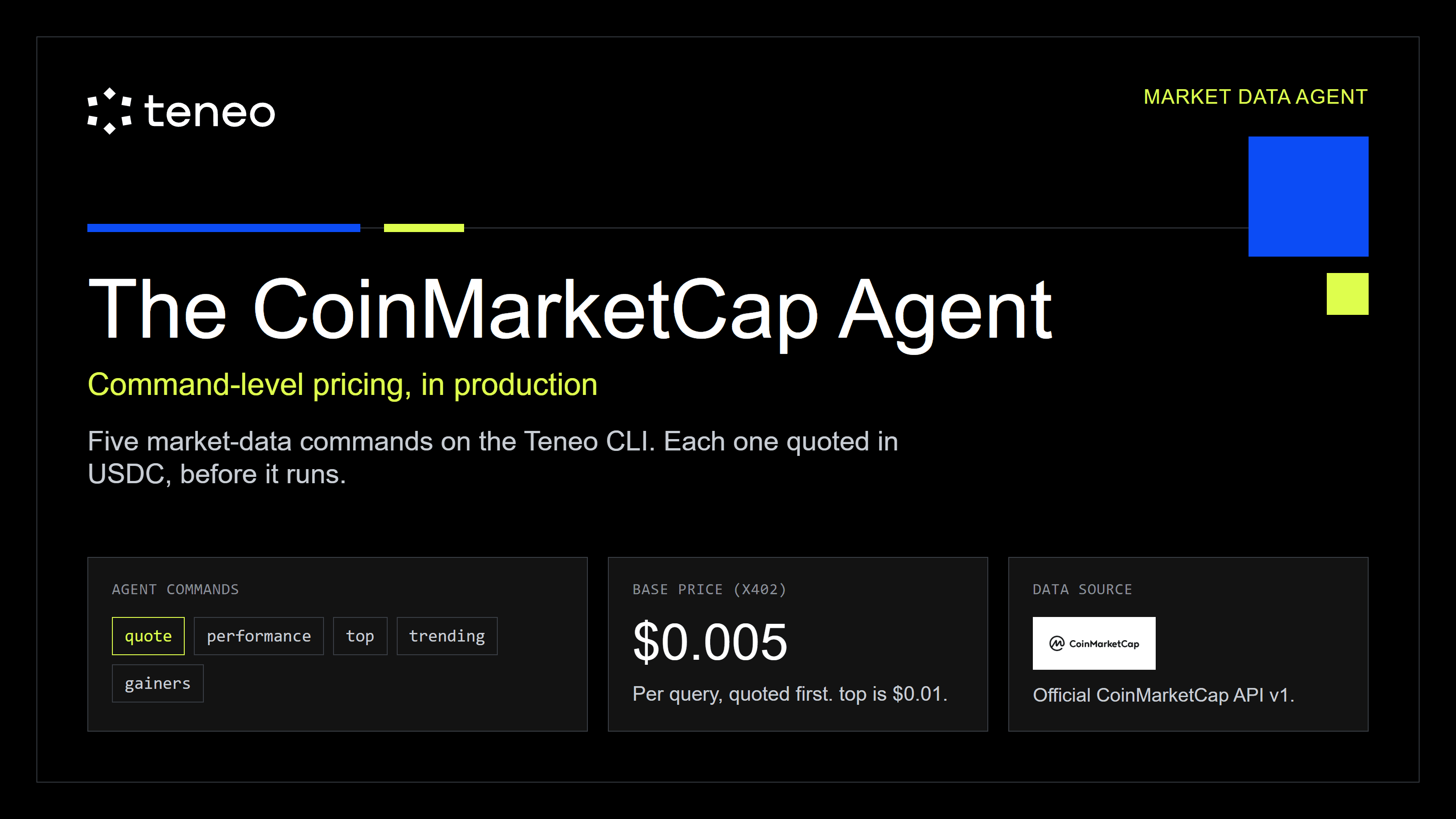
The agent has one job and five ways to ask for it. Here is the full surface, with the base catalog price for each command, confirmed against the live CLI agent listing:
- quote <symbol> - $0.005/query. Price, market cap, 24h volume, and 1h / 24h / 7d change for one asset.
- performance <symbol> - $0.005/query. One asset across 24h, 7d, 30d, 90d, 1 year, yesterday, and all-time.
- trending <n> - $0.005/query. Most-visited assets on CoinMarketCap in the last 24h (max 50).
- gainers <period> - $0.005/query. Top 10 gainers and top 10 losers for 1h, 24h, 7d, or 30d.
- top <n> - $0.01/query. Top assets by market cap (max 50): rank, name, symbol, price, market cap, 24h volume, 24h change.
Four of the five commands cost $0.005. The exception is top, which costs $0.01. Payment runs through x402 in USDC. There is no API key to register and no subscription tier to commit to. You pay for the query you run, when you run it.
What "command-level pricing" actually means
The price in that table is the *base catalog price*, not necessarily the final charge. The live agent listing is explicit about this: the catalog price is the base, and the exact signed total comes from the live task quote at run time. So the real flow is not "look up a fixed price and pay it." It is:
- You issue a command.
- The CLI returns a quote for that specific query.
- You see the amount before anything is signed.
- The USDC settles on-chain in the background after you get your data.
That is the meaningful difference from the usual way to get this data. The standard path is a CoinMarketCap API key on a monthly tier: you pick a plan, commit to a bill, get a credit allowance, and reconcile usage against it later. The cost is real but abstract, living in a dashboard you check at month end. The agent attaches the cost to the call instead. A quote is quoted and paid as a discrete action, whether you run it once or never again.
For high-volume, continuous market-data pulls, a subscription is still cheaper and you should use one. Per-query pricing earns its place in the other cases:
- Intermittent or bursty usage where a monthly minimum would mostly go unused.
- Prototypes and research flows where you want data now without a billing relationship first.
- Multi-source workflows where market data is one input among several and you do not want a separate contract for each source.
- Anything where you want the cost of a feature to be legible at the line where the feature lives.
The point is not that per-query always wins. The point is that the price is visible at the command and quoted before you commit, so you can decide which model fits before you build the dependency.
A real query
Here is an actual quote run against the agent for VVV, returned in about 120 milliseconds. Venice Token's real-time quote came back as:
- Price: $17.91
- Market Cap: $830,281,531
- Volume 24h: $62,360,105
- Change 1h: -1.03%
- Change 24h: -9.34%
- Change 7d: 26.99%
And the same asset through performance, which returns the seven documented windows in one call:
- 24h: -9.61%
- 7d: +27.02%
- 30d: +102.10%
- 90d: +374.65%
- 1y: +425.70%
- Yesterday: +3.45%
- All-time: +25.15%
These are real outputs captured on 2026-05-25, so the numbers are a point-in-time snapshot, not a current quote. The structure is the part that holds: quote is the live single-asset read, performance is the same asset across time, and each is one priced call.
Practical use cases
Spot quotes inside a dashboard. Use quote <symbol> to fetch current context for one asset when a user opens a position view or a watchlist row. At $0.005 per call it is cheap enough to attach to a single interaction, and the quote-before-charge flow means you always know the cost first.
Performance panels. Use performance <symbol> to show one asset across seven time windows (24h through all-time) without standing up a historical-data integration. It works one asset at a time, so a multi-asset panel is a loop of priced calls. Price the loop, not the single call, when you plan it.
Market overview snapshots. Use top <n> for a ranked market-cap view, up to 50 assets, when a reader needs a fast read on the leaders. One call returns the whole ranked set rather than fifty separate lookups.
Momentum scans. Use gainers <period> to pull the top movers in both directions across 1h, 24h, 7d, or 30d. This is a research input, not a trade trigger: the agent reports who moved, and your downstream logic decides whether that means anything.
Attention tracking. Use trending <n> to see what is getting looked at on CoinMarketCap in the last 24 hours, which is a different signal from price or market cap. It tells you where attention is pooling, not where value is.
Multi-agent research. The market-data commands work as one leg of a broader token-research flow. You can call quote and performance for price action, call Teneo's other agents for on-chain or social context, and combine the outputs yourself. CoinMarketCap becomes one priced input in a larger flow rather than a standalone subscription.
Where this points
Single priced commands are the building block. The more interesting version is stacking them, and the pricing model makes that natural: if every command already carries a visible per-query price, a stack of commands is just a sum you can see before you commit.
You can picture how it would work. A token-research stack might pair CoinMarketCap price action (quote and performance) with on-chain smart-money holder data from an agent like Nansen and timeline sentiment from the X agent, then triangulate one token from three angles and quote the whole multi-agent run as a single priced unit before any of it executes. Teneo has been building toward prebuilt workflows along exactly these lines, where you ask one research question and the CLI fans it out across several agents.
That is not the everyday surface today, and the specifics may change before any of it ships. But it is the direction the per-command pricing is built for: priced legs that compose into priced workflows, with the cost legible at every step. CoinMarketCap is a clean place to see the building block on its own.
What not to assume
A few limits are worth stating plainly before you build on this.
quote and performance work one crypto at a time. There is no batch form. A comparison across ten assets is ten calls, and you should price the loop, not the single call, when you plan a workflow.
Symbols must match CoinMarketCap's official listings. BTC, ETH, and SOL resolve; an ambiguous or non-standard ticker will not. This is the same class of failure that bites the Messari agent: if the symbol is wrong, the paid query fails. Confirm the symbol before you spend on it.
The agent returns data, not advice and not execution. It does not place trades, it does not tell you what to buy, and gainers is a report on what moved, not a signal to act. Any classification, scoring, or trading decision belongs in your own downstream logic.
Do not hard-code these prices into a long-lived workflow. Builder-set prices change: the figures here were confirmed against the live CLI on 2026-05-25, and earlier source snapshots listed different numbers. Treat the live task quote the CLI returns as the source of truth, and read the price off the catalog at run time rather than off this post.
How to try it
The simplest way to use the agent is through a coding agent that already has the Teneo CLI installed (Claude Code, Codex, Cursor, VS Code, Antigravity, or OpenClaw). It can inspect the agent, quote the command, run it, and hand back the output without you memorizing the syntax.
If you do not have the CLI yet, the install path is npx @teneo-protocol/cli, or any of the IDE-integrated routes in the official Teneo setup guides.
Once it is installed, ask for the outcome and let the CLI resolve the command:
- "Use the Teneo CoinMarketCap agent to quote BTC. Show me the quote first, then run it."
- "Pull the top 20 by market cap and give me rank, price, and 24h change."
- "Show ETH performance across every window the agent supports."
- "Get the 24h gainers and losers and tell me which names also appear in the trending list."
Paid commands need USDC in the active CLI wallet on a supported payment chain. The wallet is auto-generated on install, so the only setup step for paid queries is funding it. Fund it in small increments, check the balance, and let the CLI quote the task before it runs.
The practical test takes one command. Run quote on an asset you actually care about. If the data lands in your workflow for half a cent and saves you a subscription you would barely use, that is the whole argument.
What to take from this
The interesting thing about the CoinMarketCap agent is not the data, which you can get in a dozen places. It is that the cost of getting it is visible at the command and quoted before you commit, instead of buried in a monthly bill. Five commands, each separately priced, each quoting the exact charge at run time before a single payment is signed.
87,405 requests through one data agent is a story about that payment model, not about CoinMarketCap. If you are evaluating Teneo, run one paid command and watch the CLI return a price quote before it returns any data. That sequence, the price first, then the data, then the USDC settling in the background, is the product.
Key takeaways
- -CoinMarketCap Agent
- -Teneo CLI
- -x402
- -per-query pricing
- -agents